File Management and RStudio Projects

EC 421: Introduction to Econometrics

Author

Edward Rubin

1 Projects

Using RStudio projects is a great way to manage your files and keep your work organized.

A project is a folder that contains all the files related to a specific analysis or research project. When you create a project, RStudio will automatically set the working directory to the project folder, which makes it easier to manage your files and avoid confusion.

2 Setting up a project
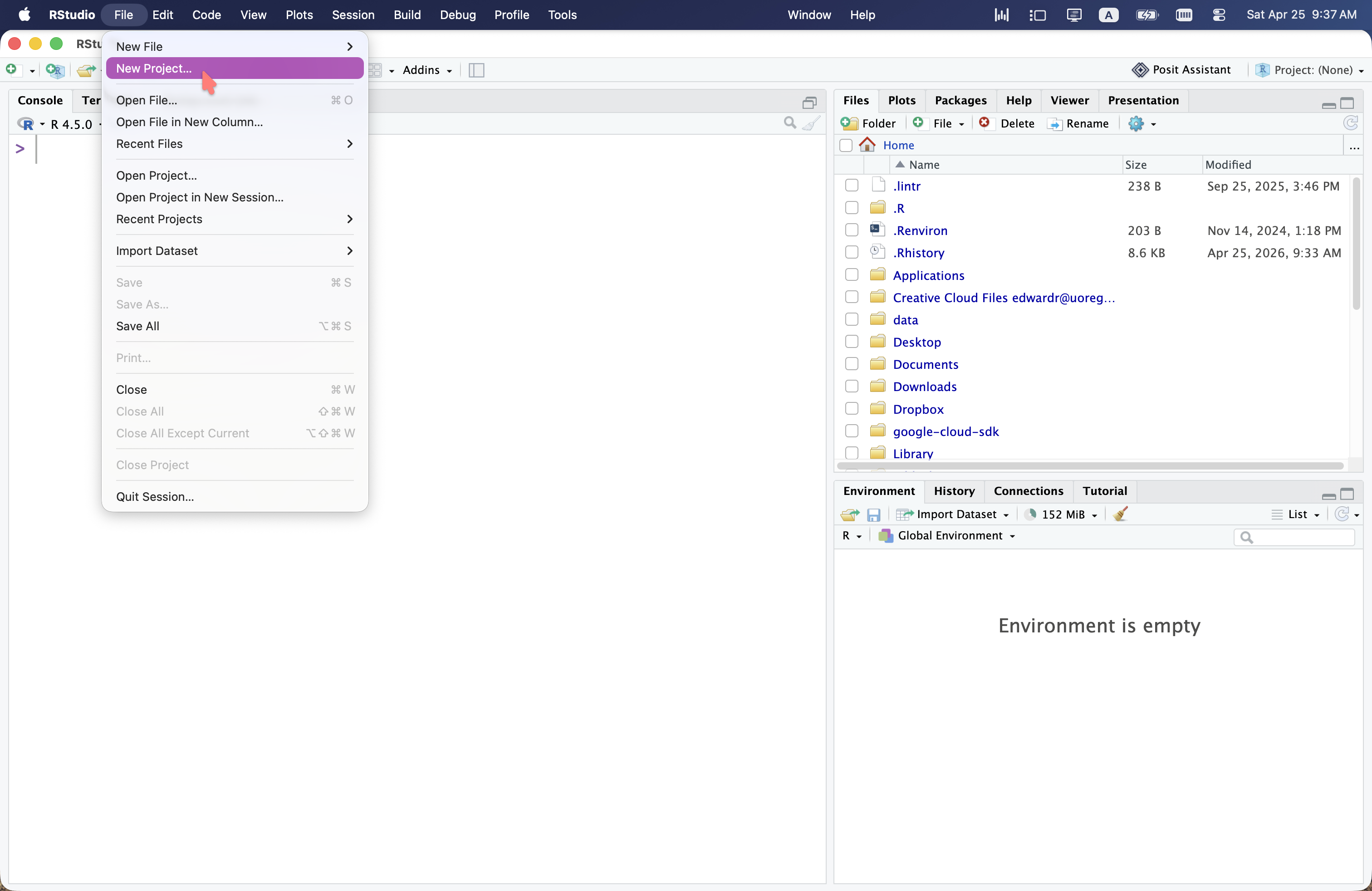
Step 1: Click “New Project” in the “File” menu.

Step 1: Click “New Project” in the “File” menu.

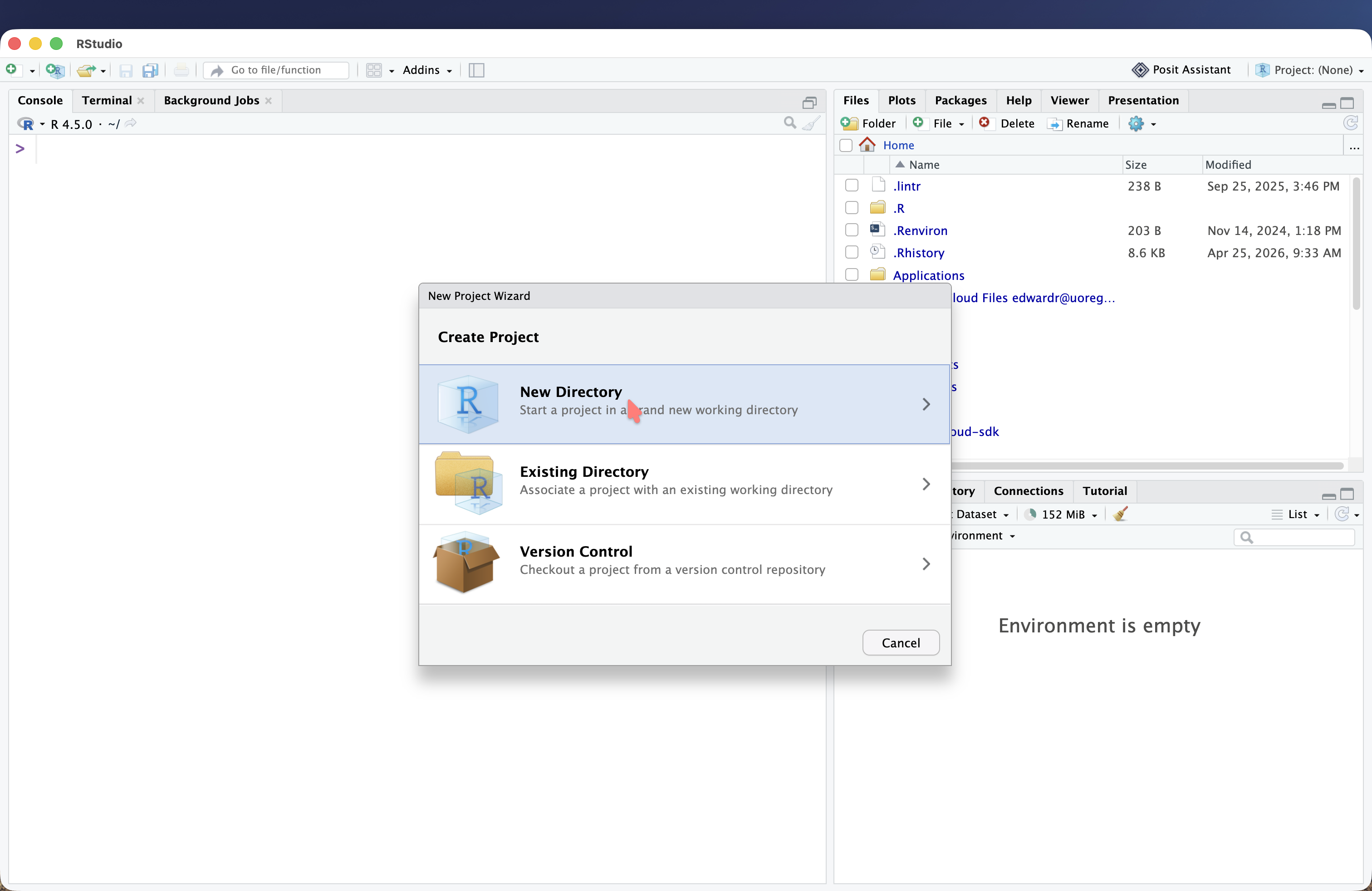
Step 2: Choose “New Directory”.

Step 2: Choose “New Directory”.

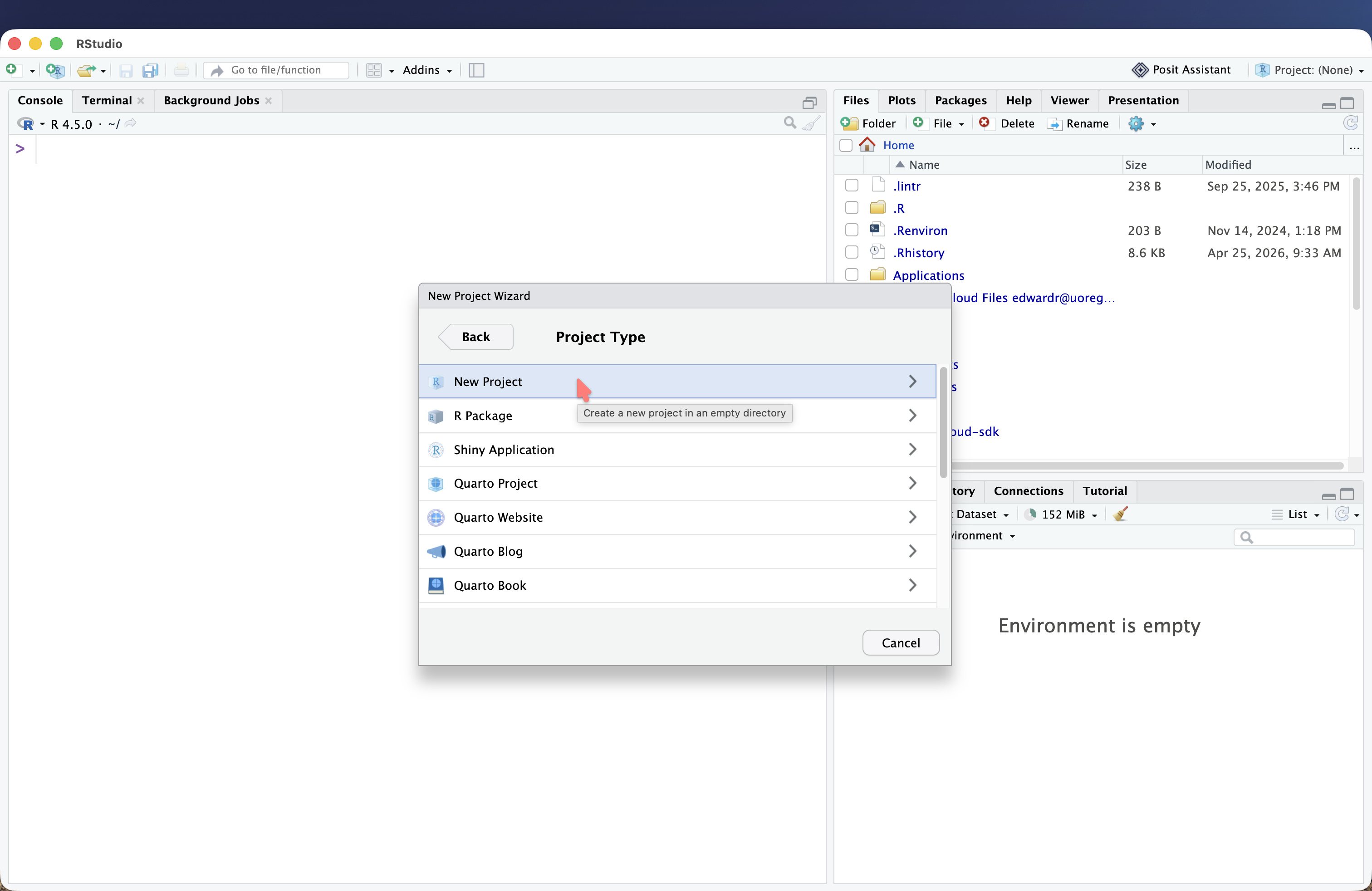
Step 3: Choose “New Project”.

Step 3: Choose “New Project”.

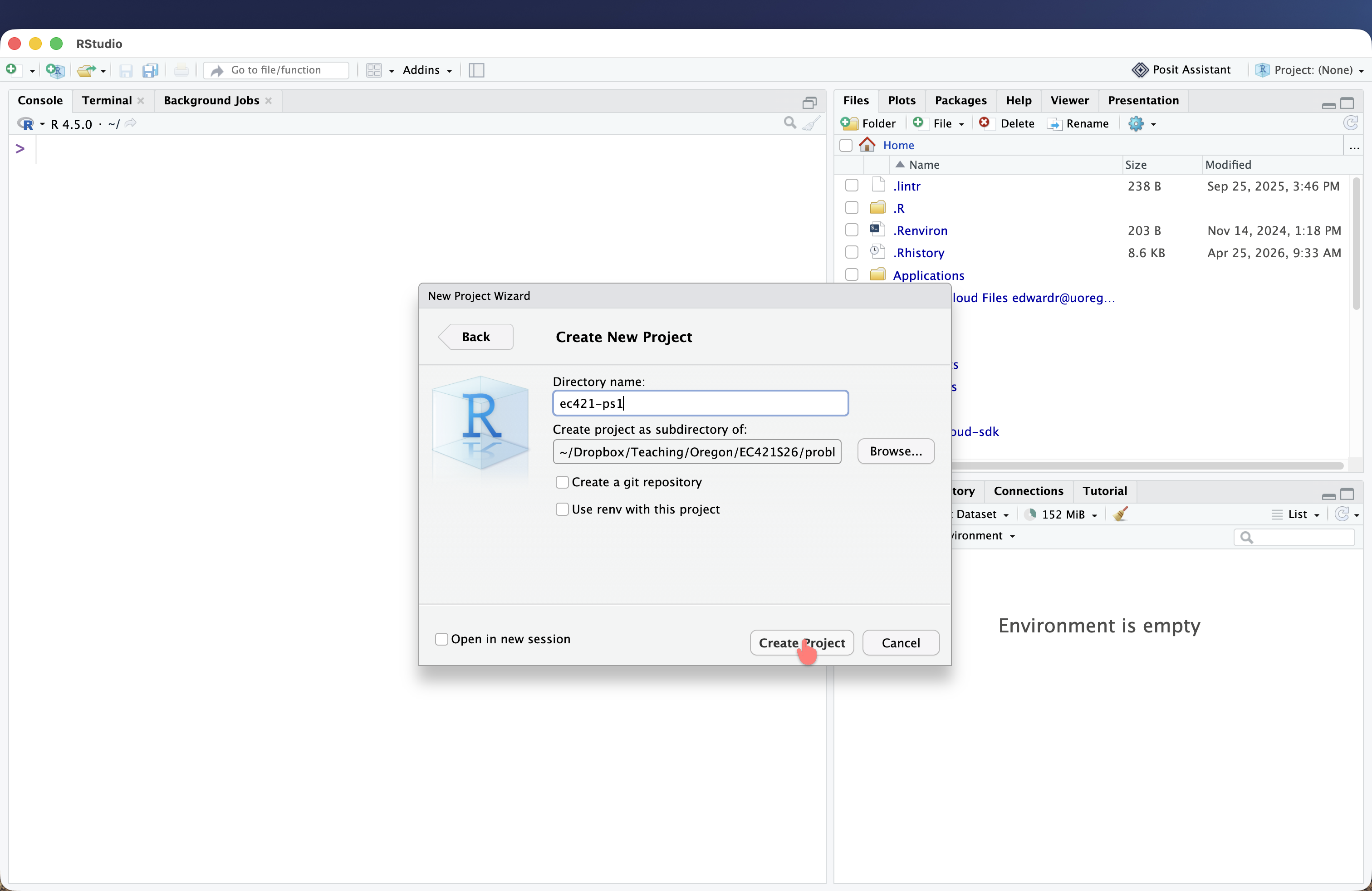
Step 4: Name your project and choose a location to save it.

Step 4: Name your project and choose a location to save it.

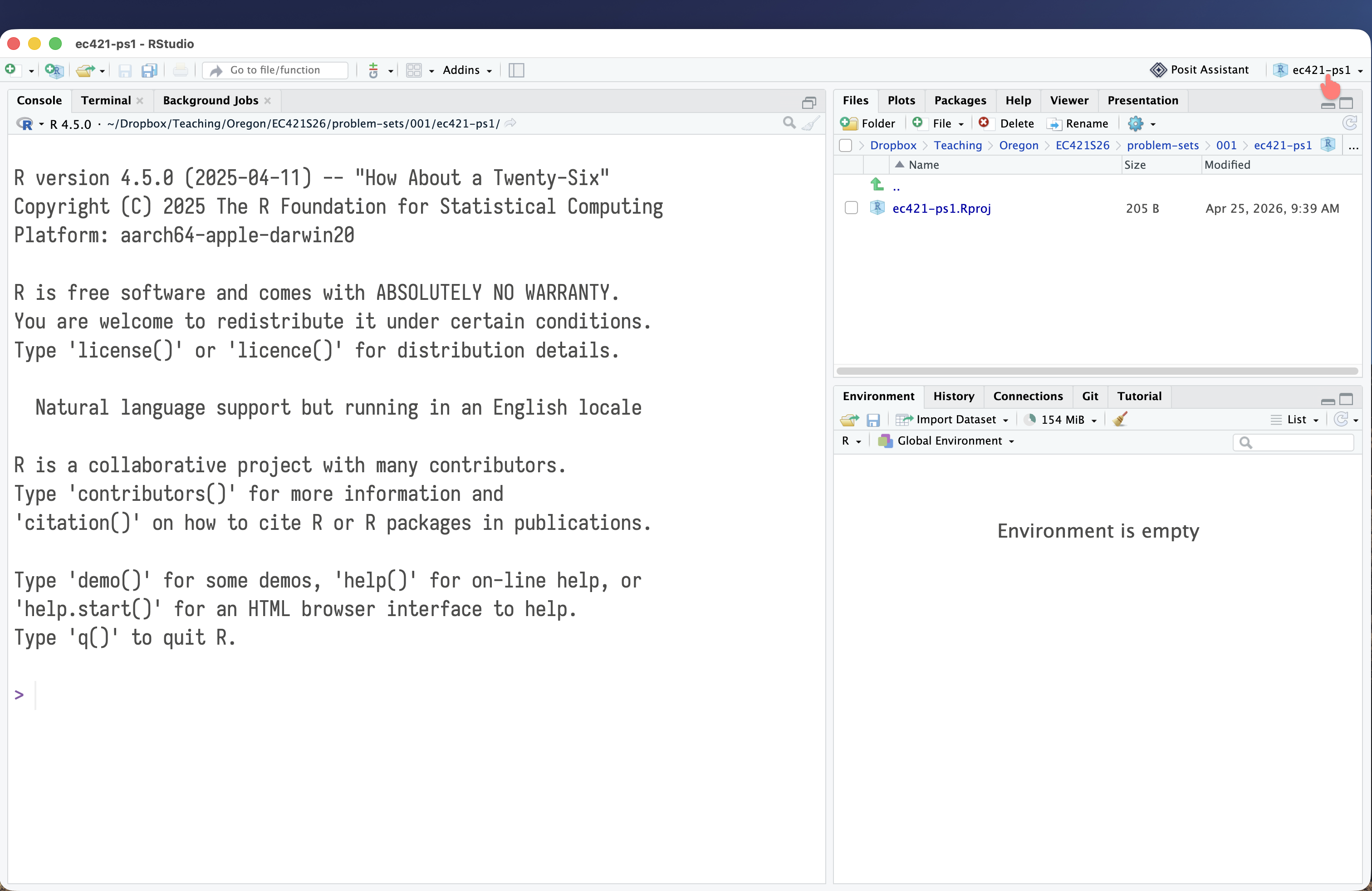
Notice that RStudio now shows the name of your project in the top right corner.

Notice that RStudio now shows the name of your project in the top right corner.

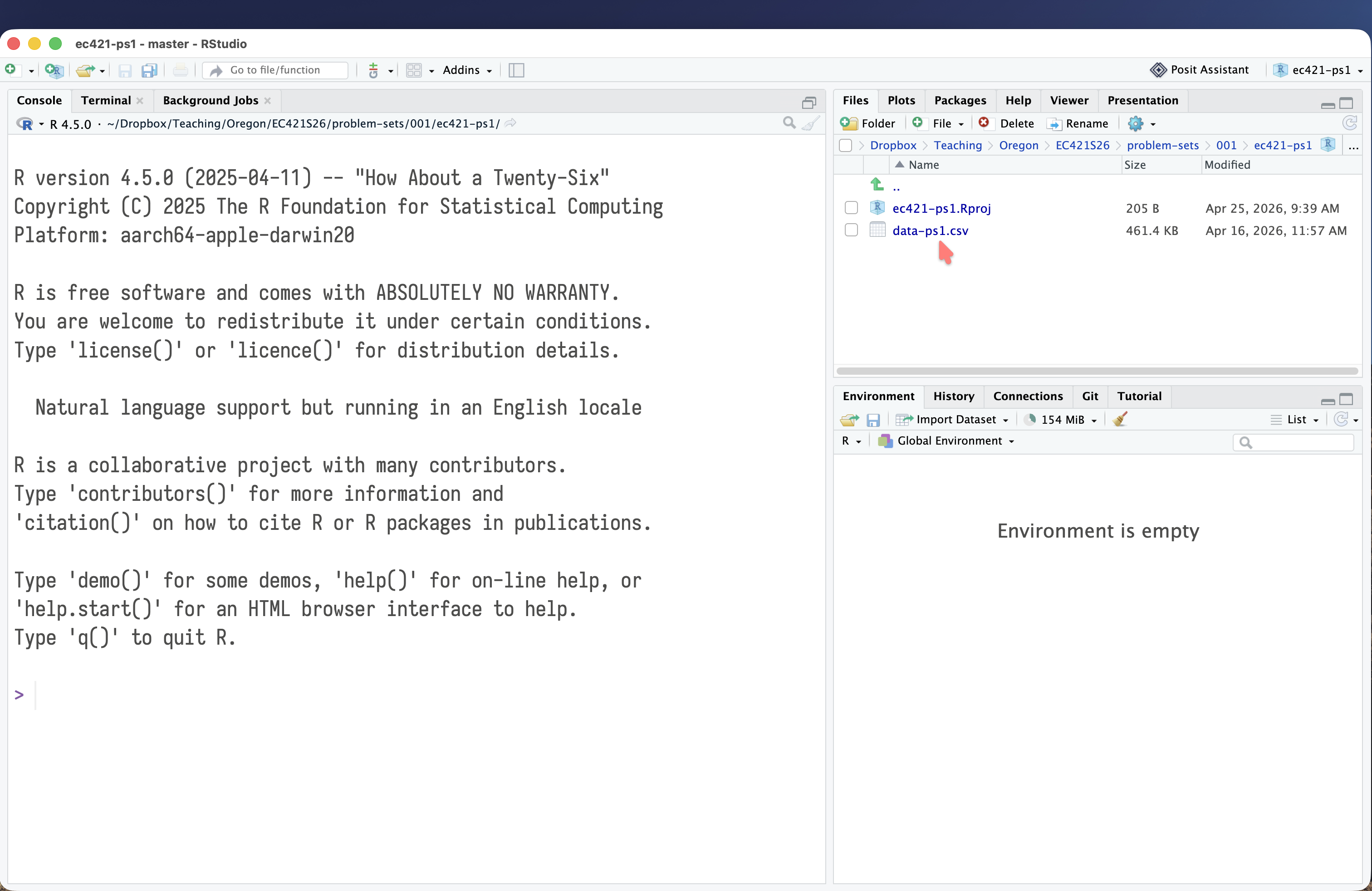
Step 5: Put your data and QMD/RMD files in your project.

Step 5: Put your data and QMD/RMD files in your project.

3 Accessing projects

To access an existing project, you have two options:
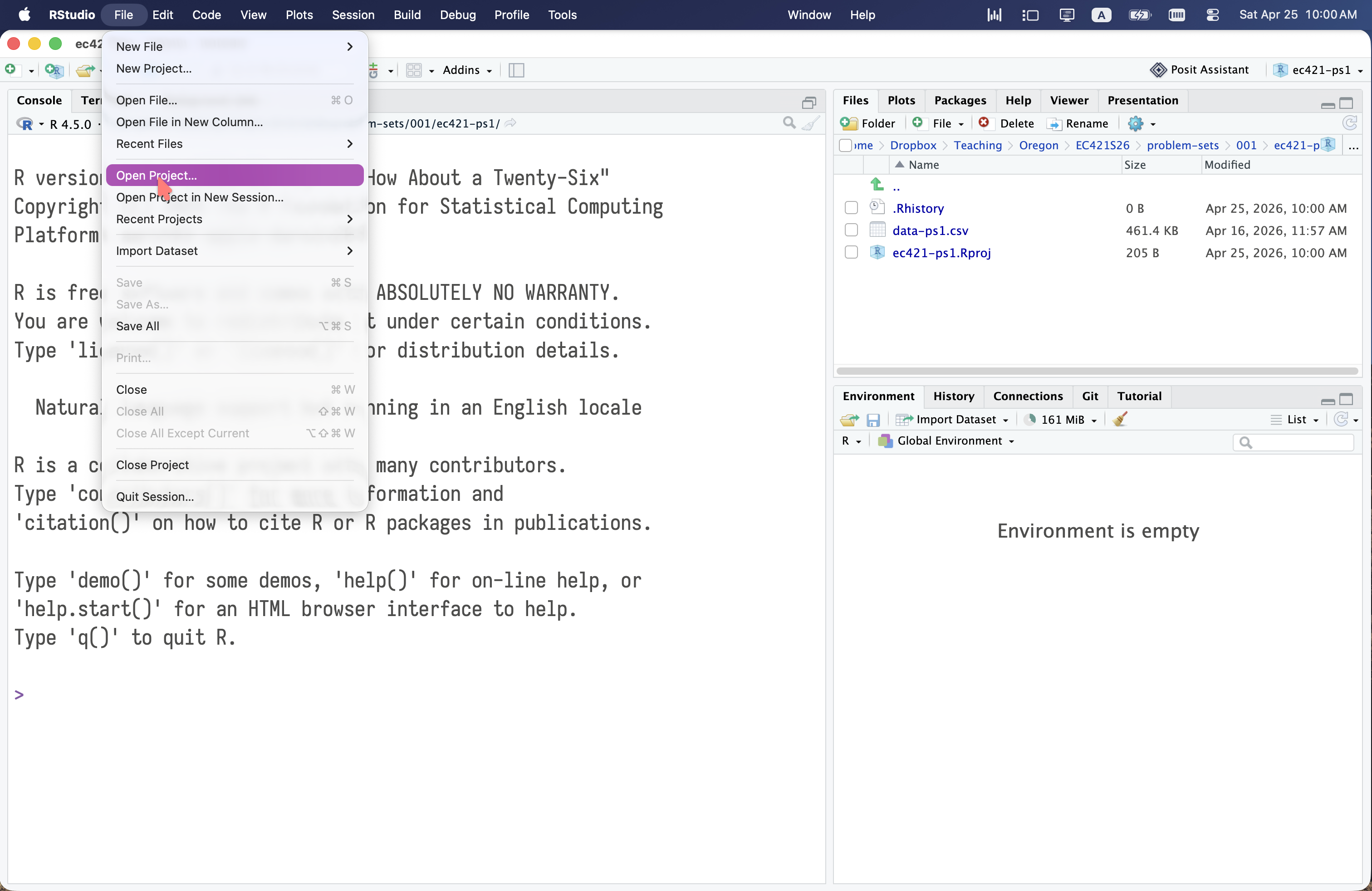
Option 1: Click “Open Project” in the “File” menu.

Option 1: Click “Open Project” in the “File” menu.

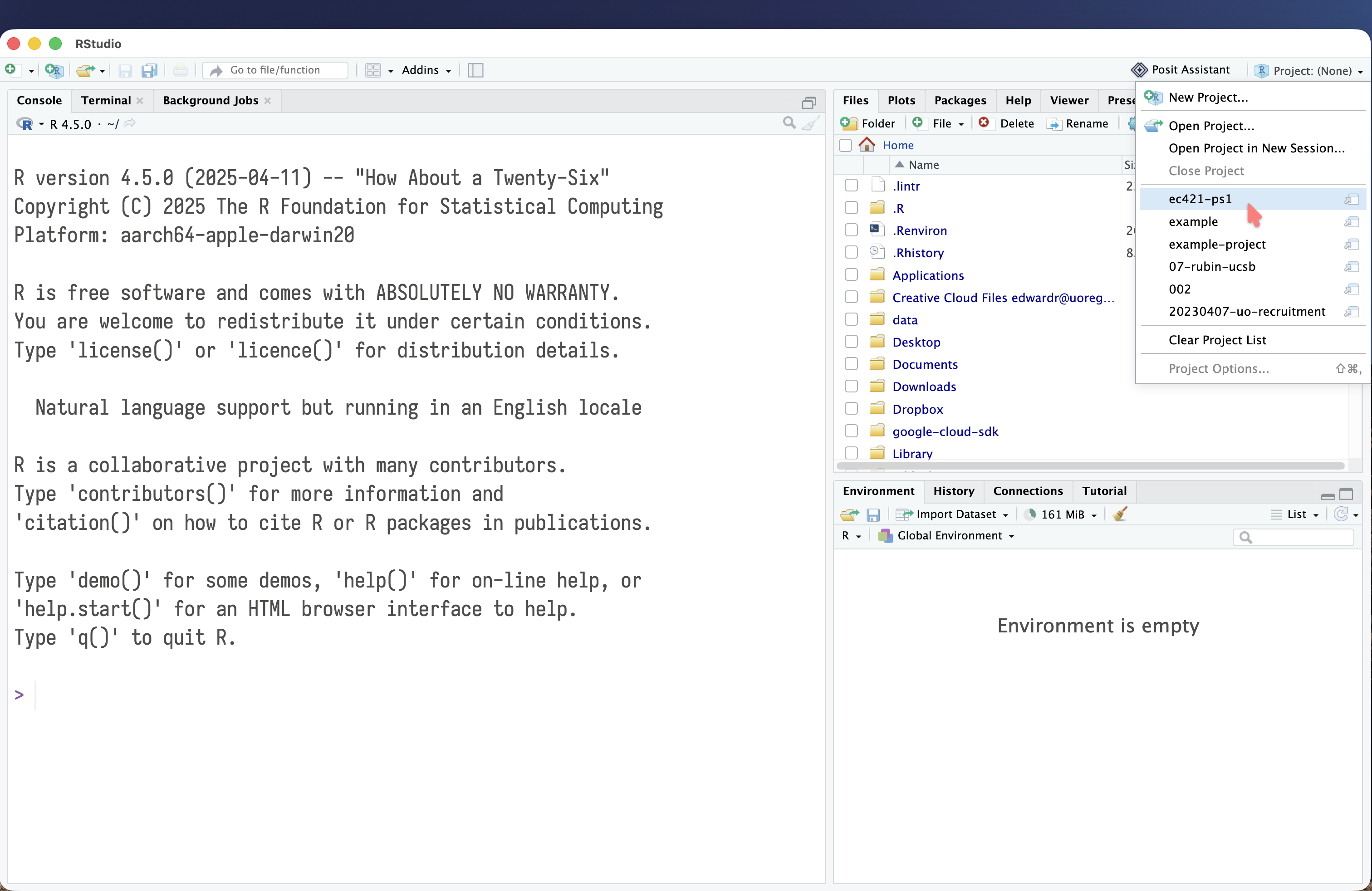
Option 2: Click on the project name in the top right corner of RStudio.

Option 2: Click on the project name in the top right corner of RStudio.