-
Other Information & Fixes
-
Browser Fix

└ Open Internet Browser, press Triangle, go to: Tools > Delete: Cookies > Search History > Cache > Authentication Information. Set Home Page to: http://lite.duckduckgo.com
└ Cookies = Allow, JavaScript = On -
Debugging Station Fix
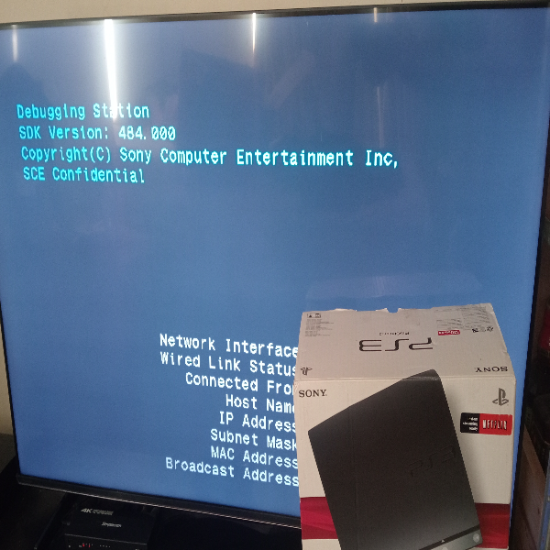
└ Turn off your PS3, press and hold the power button until you hear a total of 2 beeps. "An available HDMI device was detected. Do you want to output video and audio using HDMI?" Press yes then yes again, go into Debug Settings > Boot Mode change it to: System Software Mode -
DDOSED/BOOTED Fix

└ If you've been hit offline, restart your router. To avoid this happening again: find a menu that has a working spoof IP and/or use a VPN. -
Random Freezing/Crashing Fix

└ Reinstall your Firmware – most of the time this fixes it! It could be freezing due to overheating. Fixes:
└ 1: Change the thermal paste
└ 2: Change your fan settings (WebMAN Mod)
└ 3: Delidding may be required (Fat Models Only)
└ 4: It may be the game itself or a cheat/mod you're using
└ 5: It might be another modder freezing you – play a few games in private/custom games to see if you crash/freeze
└ 6: Restore File System, or Restore Default Settings, or Rebuild Database, or Restore PS3 System
└ 7: Failing hard drive – replace it with a Samsung 870 EVO SATA III 2.5" SSD. DO NOT get bigger than 1TB – it breaks the Restore File System function! -
Bricked HDD/SSD Fix
└ Advanced users will come across this only – normal users likely won't. This can happen when modifying the Flash Memory files like vsh.self, which will cause the PS3 to black screen and not do anything when turning it on. Safe Mode will not work either – it will black screen after trying to reinstall firmware. Fix: you need a replacement HDD/SSD OR a Simplecom SE109 Tool-Free 2.5" SATA to USB-C Enclosure. Take your HDD out of your PS3 and put it in the enclosure. Plug it into a PC/laptop. Open Command Prompt (run as admin).
└ Type in these (do not put >): diskpart > list disk > select disk (number – make sure you select the right one) > clean all (this will take a while – no progress bar). There are other ways, but this is how I did it! -
Rebug 4.82.2 CFW Error: 80028ED6 Fix

└ 4.82.2 stopped working and you can't sign in except when on your XMB! Fix: Update to 4.84.2 (DEX) or install the ps3-updatelist.txt bypass. -
Reporting Players Crash Fix

└ Reporting players' messages seems to crash you on at least Rebug 4.84.2 DEX.
└ Fix: convert to CEX and install the Online Access Bypass from within Rebugger ToolBox: Extra Tools > Online Access Bypass, to be able to sign in on CEX. -
DEX/CEX Installation Error Fix

└ If an update file is detected but the text is gray and when you press X it gives you: "The data is corrupted. (80029CCA)" – it's because you're trying to install a CEX/DEX Firmware when you're on the opposite conversion. (CEX: CEX, REX, PEX) (DEX: DEX, D-REX, D-PEX) (PEX/D-PEX is CEX with partial DEX functionality). -
/dev_flash Info
└ Anything you install to /dev_flash will need to be reinstalled if you switch or reinstall your firmware.
-
-
Game Issues & Fixes
-
Disk not reading or game freezing/buffering Fix

└ Wet the disk with cold water, then apply toothpaste (Colgate Triple Action works best!). Spread it out over the disk, leave for a few minutes, then use cold water to rinse as much off as possible. Then use water and your fingers/thumb to completely rinse it off, and dry it with paper towels. This will fix it and work 99.9% of the time. This won't work on extremely scratched disks or disks with deep scratches. -
Call of Duty Black Ops 2

└ Sign out of PSN before starting. Without a good menu, you'll freeze. Do not sign in until you've played a local game; after the countdown ends, end the game, then you can sign in and play online! -
Call of Duty Black Ops 3

└ You need to be on at least System Software Version 4.91+ to play online. Fix: Update to 4.91.2+ CFW/HFW. You'll need a menu or RTM tool to unlock all – using Unlock Tokens crashes your console. Stats may not save! -
Call of Duty Advanced Warfare

└ You need to be on at least System Software Version 4.91+ to play online. Fix: Update to 4.91.2+ CFW/HFW. -
Call of Duty Modern Warfare 2

└ New accounts can't play online unless you're a modder and spoof your XUID with a menu or RTM tool. Stats may not save! -
Resistance 2
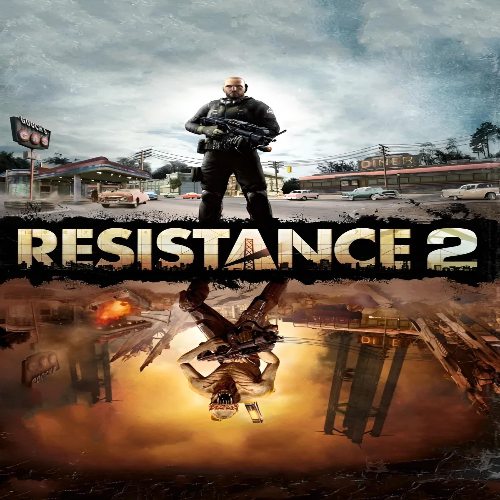
└ Do not update from the base game (1.00) – 1.60 breaks the game! -
Sleeping Dogs

└ Doesn't work on at least Rebug 4.84.2 DEX for some reason. Fix: Convert to CEX.
-