class: center, middle, inverse, title-slide .title[ # News and Market Sentiment Analytics ] .subtitle[ ## Lecture 3: Classification ] .author[ ### Christian Vedel,<br> Department of Economics<br><br> Email: <a href="mailto:christian-vs@sam.sdu.dk" class="email">christian-vs@sam.sdu.dk</a> ] .date[ ### Updated 2025-11-25 ] --- <style type="text/css"> .pull-left { float: left; width: 44%; } .pull-right { float: right; width: 44%; } .pull-right ~ p { clear: both; } .pull-left-wide { float: left; width: 66%; } .pull-right-wide { float: right; width: 66%; } .pull-right-wide ~ p { clear: both; } .pull-left-narrow { float: left; width: 30%; } .pull-right-narrow { float: right; width: 30%; } .small123 { font-size: 0.80em; } .large123 { font-size: 2em; } .red { color: red } </style> # Last time .pull-left[ - Tools for data wrangling - A coding challenge with text wrangling ] .pull-right-narrow[  ] --- # Today's lecture .pull-left[ - Simple text classification - SoTA text classification in news and market sentiments analytics - Off-the shelf models - Transfer learning ] .pull-right-narrow[  ] --- class: middle # Features to extract .pull-left[ - Word endings - Sentiment - Word type - Count vectorizer - Transformers: + ZeroShot classifcations (next time) + Sentiments + Embeddings - ...All the relevant things we will learn about in the course ] .pull-right[ 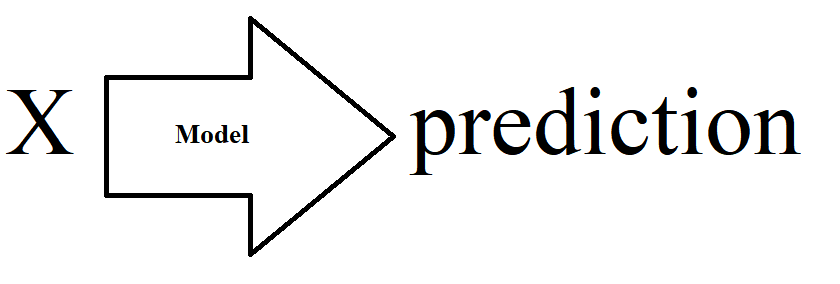 ] --- # The Naïve Bayes classifier (1/2) .pull-left-wide[ .small123[ - We can infer `\(P(Class|X)\)` via `\(P(Class|X)\)` - In the Naïve Bayes classifier, we assume features are conditionally independent given the class, simplifying the calculation: `\(P(X|Class) = P(x_1|Class) \cdot P(x_2|Class) \cdot \ldots\)` - Simple and very widely used classifier - `\(X\)` is the features + `\(P(Class|x_i) = P(x|Class)P(Class)/P(x_i)\)` (Bayes" law) + `\(P(x_i|Class)=\frac{1}{n}\sum_{j\in Class} 1[x_j]\)` + `\(P(Class)\)` can be assumed or estimated; `\(P(x_i)\)` can also be estimated - Assumes independence between features - We will walk over intuition in the following slides ] ] .pull-right-narrow[ 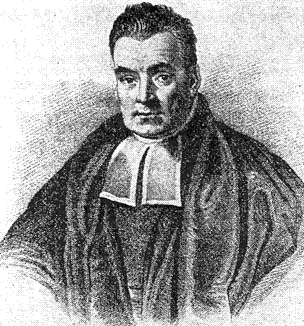 .small123[*Maybe* Bayes, wikimedia commons] ] .footnote[ .small[ 1. [See 3Blue1Brown explaination of Bayes theorem](https://youtu.be/U_85TaXbeIo) 2. You can use libraries for this, but often this is makes more sense to implement manually ] ] --- # The Naïve Bayes classifier (2/2) .small123[ - This and similar approaches used extensively for feature extraction and in social science research + The maths is simple and clear, which helps in Causal Inference applications + We want to know the *kinds of errors* more rather than *minimizing the errors* + Sometimes works really well - Two examples: + Bentzen & Andersen (2022): More religious names are associated with less technological development + Bentzen, Boberg-Fazlic, Sharp, Skovsgaard, Vedel (2024): Certain Danish religious movements is associated with less integration into the US in 1800s. But this seemingly has little consequences for occupational outcomes. - Always start with NB when dealing with textual data - But do use other models as well :-) ] --- class: middle # NB intuition: Genders from names (1/5) .pull-left-wide[ - We want to classify a name as either *male* or *female* - **Training data:** A list of of female / male names - **Goal:** Use this data to produce a classifier - **Note:** We do not need any fancy neural nets. We just need basic probability theory. ] --- class: middle # NB intuition: Genders from names (2/5) - Say we observe 20000 names - 10000 for each gender - **What we observe:** The frequency of names among genders + "Carl" might appear 1023/10000 times as male and 3/10000 times as female in our data + "Carla" has a might appear 2148/10000 times as male and 5/10000 times as female in our data + Etc. - **We can derive** an estimate of `\(Pr(Gender | Name)\)`: + `\(Pr(Name = \text{"Carl"} | Gender = \text{"Male"}) \approx 1023 / 10000 = 0.1023\)` + `\(Pr(Name = \text{"Carl"} | Gender = \text{"Female"}) \approx 3 / 10000 = 0.0003\)` + `\(Pr(Name = \text{"Carla"} | Gender = \text{"Male"}) \approx 5 / 10000 = 0.0005\)` + `\(Pr(Name = \text{"Carla"} | Gender = \text{"Female"}) \approx 2148 / 10000 = 0.2148\)` + *Repeat for all names and classes* - This is the "training" procedure for NB --- class: middle # NB intuition: Genders from names (3/5) .pull-left-wide[ - **What we have:** An estimate of `\(Pr(Name | Gender)\)` - **What we want:** An estimate of `\(Pr(Gender | Name)\)` - **Solution:** Bayes" law: `\(Pr(Gender | Name) = \frac{Pr(Name | Gender) Pr(Gender)}{Pr(Name)}\)` ] --- # NB intuition: Genders from names (4/5) *We will calculate the probability that "Carla" is female* -- #### 1. Assume `\(Pr(Gender = \text{"Female"}) = 0.5\)` (Is this reasonable?) -- #### 2. Calculate `\(Pr(Name = \text{"Carla"})\)` -- `$$Pr(Name) = \sum_{Gender} Pr(Name | Gender) Pr(Gender)$$` -- `$$Pr(Name = \text{"Carla"}) = Pr(\text{"Carla"} | \text{"Female"}) Pr(\text{"Female"}) + Pr(\text{"Carla"} | \text{"Male"}) Pr(\text{"Male"})$$` -- `$$Pr(Name = \text{"Carla"}) = 0.2148 \times 0.5 + 0.0005 \times 0.5$$` -- `$$Pr(Name = \text{"Carla"}) = 0.10765$$` -- #### 3. Retrieve `\(Pr(Name = \text{"Carla"} | Gender = \text{"Female"}) = 0.2148\)` from "training" --- # NB intuition: Genders from names (5/5) -- #### 4. Putting it all together -- `$$Pr(Gender = \text{"Female"} | Name = \text{"Carla"}) = \frac{Pr(\text{"Carla"} | \text{"Female"}) Pr(\text{"Female"})}{Pr(\text{"Carla"})}$$` -- `$$Pr(Gender = \text{"Female"} | Name = \text{"Carla"}) = \frac{0.2148 \times 0.5}{0.10765}$$` -- `$$Pr(Gender = \text{"Female"} | Name = \text{"Carla"}) = \frac{0.10740}{0.10765}$$` -- ### Result: `$$Pr(Gender = \text{"Female"} | Name = \text{"Carla"}) = 0.998$$` *Note: Simple to automate and **fast** to compute* --- # A real application .pull-left-wide[ - Census data can be the source of knowledge about long run development - Census data does not always contain genders - We can use the gender information in names - Used via a Naive-Bayes classifier - This time using the entire name - **Turns out:** We can obtain 98.1% accuracy with Naïve-Bayes ] .pull-right-narrow[  *Census data, 1840, wikimedia* ] --- # Simple Naïve Bayes to identify gender [Lecture 3 - Classification pt 1/Code/Gender_classification_all_Danish_names.py](https://github.com/christianvedels/News_and_Market_Sentiment_Analytics/blob/main/Lecture%203%20-%20Classification/Code/Gender_classification_all_Danish_names.py) - Using modern name/gender data to build a classifier that works in 1787 --- # Feature extraction ### 1. Word type ``` python import spacy # Load the spaCy model nlp = spacy.load("en_core_web_sm") # Function to extract word type as a feature def word_type_feature(word): doc = nlp(word) pos_tag = doc[0].pos_ return {"word_type": pos_tag} # Example usage print(word_type_feature("dog")) ``` ``` ## {'word_type': 'NOUN'} ``` --- # Feature extraction ### 2. Count vectorizer ``` python import spacy from collections import Counter # Load the spaCy model nlp = spacy.load("en_core_web_sm") # Function to extract token counts as features def count_vectorizer_feature(corpus): doc = nlp(" ".join(corpus)) word_counts = Counter([token.text.lower() for token in doc if token.is_alpha]) return dict(word_counts) # Example usage corpus = ["This is the first document.", "This document is the second document."] print(count_vectorizer_feature(corpus)) ``` ``` ## {'this': 2, 'is': 2, 'the': 2, 'first': 1, 'document': 3, 'second': 1} ``` --- # Feature extraction ### 3. Simple bag of words sentiment ``` python # ... code from last time ``` --- # Feature extraction ### 4. Length of the Text ``` python # Function to extract text length as a feature def text_length_feature(text): return {"text_length": len(text)} # Example usage print(text_length_feature("This is a short text.")) ``` ``` ## {'text_length': 21} ``` --- # Feature extraction ### 5: Number of Words ``` python import spacy # Load the spaCy model nlp = spacy.load("en_core_web_sm") # Function to extract number of words as a feature def word_count_feature(text): doc = nlp(text) return {"word_count": len([token for token in doc if token.is_alpha])} # Example usage print(word_count_feature("This is an example sentence.")) ``` ``` ## {'word_count': 5} ``` --- # Feature extraction ### 6: Average Word Length ``` python import spacy # Load the spaCy model nlp = spacy.load("en_core_web_sm") # Function to extract average word length as a feature def avg_word_length_feature(text): doc = nlp(text) words = [token for token in doc if token.is_alpha] avg_length = sum(len(word) for word in words) / len(words) if words else 0 return {"avg_word_length": avg_length} # Example usage print(avg_word_length_feature("This is a demonstration of average word length.")) ``` ``` ## {'avg_word_length': 4.875} ``` --- # Feature extraction ### 7: Presence of Specific Words ``` python import spacy # Load the spaCy model nlp = spacy.load("en_core_web_sm") # Function to check the presence of specific words as features def specific_word_feature(text, target_words): doc = nlp(text) features = {} for word in target_words: features[f"contains_{word}"] = any(token.text.lower() == word for token in doc) return features # Example usage text = "This is a sample text with some specific words." target_words = ["sample", "specific"] print(specific_word_feature(text, target_words)) ``` ``` ## {'contains_sample': True, 'contains_specific': True} ``` --- # Feature extraction ### 8: Zipf"s law features ``` python # ... Zipf coefficient from coding challenge 2 ``` --- # Feature extraction ### 9. ZeroShot Classification with Transformers ```python from transformers import pipeline # Function for zero-shot classification def zero_shot_classification(text, labels): classifier = pipeline("zero-shot-classification", model = "facebook/bart-large-mnli") result = classifier(text, labels) return {label: score for label, score in zip(result["labels"], result["scores"])} # Example usage text = "The movie was captivating and full of suspense." labels = ["exciting", "dull", "intellectual"] print(zero_shot_classification(text, labels)) ``` ``` ## {'exciting': 0.9633232951164246, 'intellectual': 0.03195451945066452, 'dull': 0.00472218869253993} ``` --- class: inverse, middle ## [Breaking the HISCO Barrier: Automatic Occupational Standardization with OccCANINE*](https://raw.githack.com/christianvedels/OccCANINE/refs/heads/update_paper/Project_dissemination/HISCO%20Slides/Slides.html#1) ### *Conference presentation: An example of the kind of research I do with things you learn about in this course* .footnote[ \* *it"s a link, that you can click!* .small123[ [More details](https://raw.githack.com/christianvedels/Guest_Lectures_and_misc_talks/main/HISCO/Slides.html) ] ] --- class: inverse, middle, center # More advanced classification --- class: middle <div style="display: flex; align-items: center;"> <img src="https://huggingface.co/favicon.ico" alt="HuggingFace Logo" style="height: 40px; margin-right: 10px;"> <h1 style="margin: 0;">HuggingFace</h1> </div> .pull-left[ - HuggingFace is a platform for sharing machine learning models - Most of the most advanced pretrained models are available here - You can use the *off the shelf* or finetune them. Plenty of guidance available ] --- class: middle .pull-left-wide[ ### Exercise - Try navigating to [HuggingFace.co](https://huggingface.co/) - Look for a model for one of the following tasks: Image Classification, Text Classification, Zero-Shot Classificaiton, Translation, Sentence Similarity - Take a picture of yourself (or some on the internet) and try this tool: [huggingface.co/spaces/schibsted-presplit/facial_expression_classifier](https://huggingface.co/spaces/schibsted-presplit/facial_expression_classifier) ] --- class: middle ## `pipeline` - You can interact with many of these models using the `pipeline` interface of the `transformers` library - You make an *instance* of a model buy calling `pipeline(task = "...")` - You can find an overview of tasks here: [huggingface.co/docs/transformers/main/en/quicktour#pipeline](https://huggingface.co/docs/transformers/main/en/quicktour#pipeline) --- class: middle # Demo 1: Pictures from the news .pull-left-wide[ - Automatic image description ] .pull-right-narrow[ 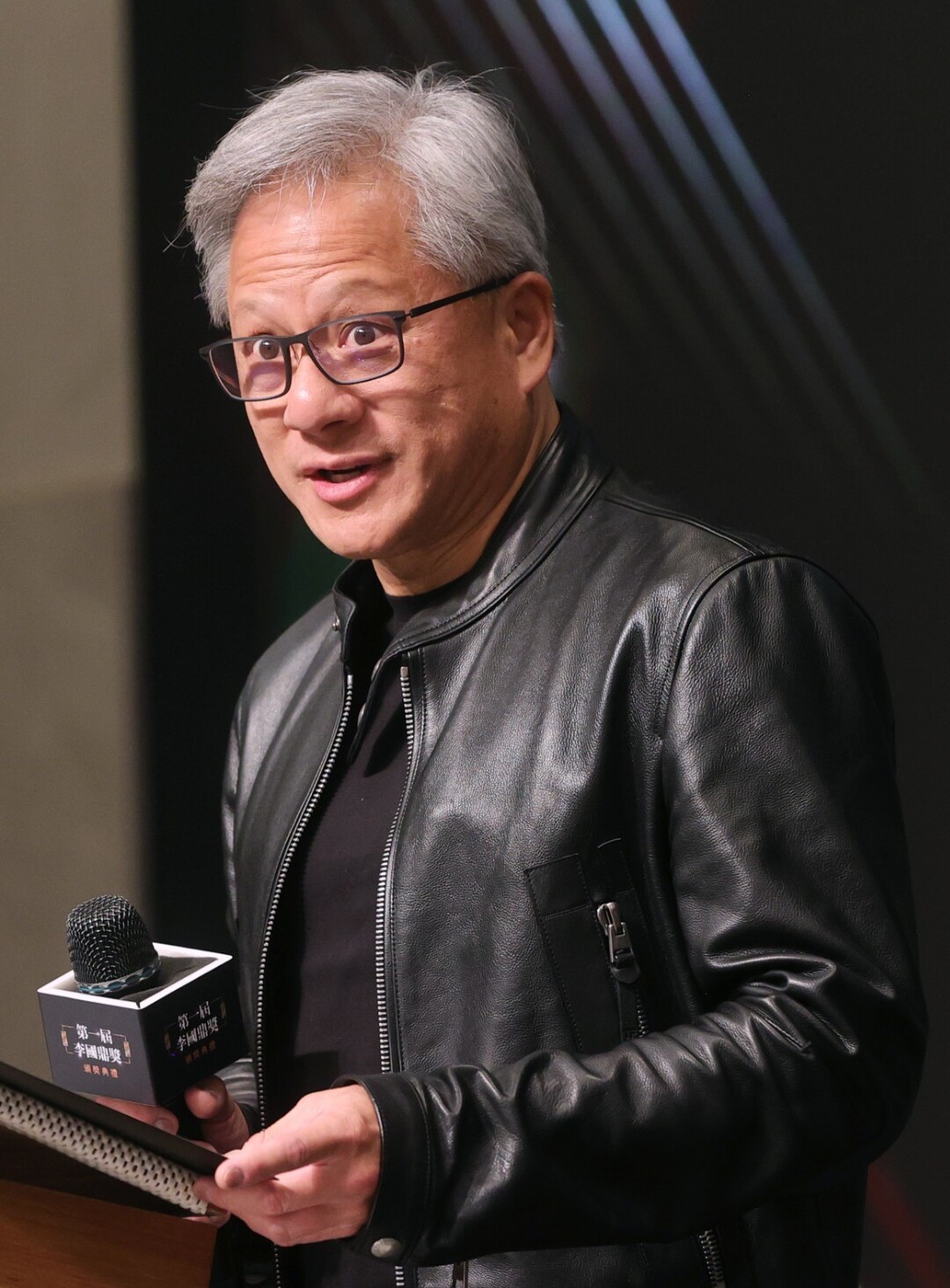 .small123[ Jensen Huang (CEO, NVIDIA) [picture from wikidmedia](https://upload.wikimedia.org/wikipedia/commons/3/36/Jensen_Huang_20231109_%28cropped2%29.jpg) ] ] --- class: middle # Demo 1: Auto caption .pull-left-wide[ ``` python from transformers import pipeline model = pipeline( task="image-to-text", model = "Salesforce/blip-image-captioning-base" ) results = model("Figures/Jensen_Huang_20231109.jpg") ``` ``` ## C:\PROGRA~3\ANACON~1\envs\SENTIM~2\Lib\site-packages\transformers\generation\utils.py:1375: UserWarning: Using the model-agnostic default `max_length` (=20) to control the generation length. We recommend setting `max_new_tokens` to control the maximum length of the generation. ## warnings.warn( ``` ``` python print(results) ``` ``` ## [{'generated_text': 'a man in a black jacket and glasses holding a microphone'}] ``` ] .pull-right-narrow[  .small123[ Jensen Huang (CEO, NVIDIA) [picture from wikidmedia](https://upload.wikimedia.org/wikipedia/commons/3/36/Jensen_Huang_20231109_%28cropped2%29.jpg) ] ] --- class: middle # Demo 2: Sentiment analysis ``` python from transformers import pipeline classifier = pipeline( task = "sentiment-analysis", model = "distilbert/distilbert-base-uncased-finetuned-sst-2-english" ) result = classifier("It is a lot of fun to learn advanced ML stuff.") ``` ``` python print(result) ``` ``` ## [{'label': 'POSITIVE', 'score': 0.9997534155845642}] ``` --- class: middle # Demo 3: Named Entity Recognition ``` python from transformers import pipeline model = pipeline(task = "ner", model = "dslim/bert-base-NER") ``` ``` ## C:\PROGRA~3\ANACON~1\envs\SENTIM~2\Lib\site-packages\huggingface_hub\file_download.py:139: UserWarning: `huggingface_hub` cache-system uses symlinks by default to efficiently store duplicated files but your machine does not support them in C:\Users\christian-vs\.cache\huggingface\hub\models--dslim--bert-base-NER. Caching files will still work but in a degraded version that might require more space on your disk. This warning can be disabled by setting the `HF_HUB_DISABLE_SYMLINKS_WARNING` environment variable. For more details, see https://huggingface.co/docs/huggingface_hub/how-to-cache#limitations. ## To support symlinks on Windows, you either need to activate Developer Mode or to run Python as an administrator. In order to activate developer mode, see this article: https://docs.microsoft.com/en-us/windows/apps/get-started/enable-your-device-for-development ## warnings.warn(message) ``` ``` python result = model( """ Mr. Edward Jameson, born on October 15, 1867, in Concord, Massachusetts, is a gentleman of notable accomplishments. He received his early education at the local academy and graduated with honors from Harvard College in 1888. Pursuing a career in law, he quickly rose to prominence through his sagacity and dedication." """ ) ``` ``` python print(result) ``` ``` ## [{'entity': 'B-PER', 'score': 0.9980565, 'index': 3, 'word': 'Edward', 'start': 9, 'end': 15}, {'entity': 'I-PER', 'score': 0.9978859, 'index': 4, 'word': 'Jameson', 'start': 16, 'end': 23}, {'entity': 'B-LOC', 'score': 0.9909105, 'index': 14, 'word': 'Concord', 'start': 54, 'end': 61}, {'entity': 'B-LOC', 'score': 0.9989054, 'index': 16, 'word': 'Massachusetts', 'start': 63, 'end': 76}, {'entity': 'B-ORG', 'score': 0.99780613, 'index': 39, 'word': 'Harvard', 'start': 215, 'end': 222}, {'entity': 'I-ORG', 'score': 0.996807, 'index': 40, 'word': 'College', 'start': 228, 'end': 235}] ``` --- class: middle # Demo 4: Text generation from LLM ``` python from transformers import pipeline import torch model = pipeline( task = "text-generation", model = 'HuggingFaceH4/zephyr-7b-beta', torch_dtype=torch.bfloat16, device_map='auto', ) result = model( "The practical aspects of data science", max_length=50, truncation=True, ) ``` ``` python print(result) ``` --- class: middle # Demo 5: Zero-shot classification **Example from last time** ``` python from transformers import pipeline # Function for zero-shot classification def zero_shot_classification(text, labels): classifier = pipeline("zero-shot-classification", model = "facebook/bart-large-mnli") result = classifier(text, labels) return {label: score for label, score in zip(result["labels"], result["scores"])} # Example usage text = "The movie was captivating and full of suspense." labels = ["exciting", "dull", "intellectual"] print(zero_shot_classification(text, labels)) ``` ``` ## {'exciting': 0.9633234143257141, 'intellectual': 0.03195439651608467, 'dull': 0.004722184501588345} ``` --- class: middle # Two approaches .pull-left[ ## Off-the-shelf - *We can use models directly from e.g. HuggingFace* #### Advantages - Fast - Often works well #### Drawback - Performance loss - Poor performance in niche tasks ] .pull-right[ ## Transferlearning - *We can adapt models to out needs* #### Advantages - Still relativly fast - Can work surprisingly well #### Drawback - More code, more problems - More fudging needed to get a solution to work - Training can be expsensive (time/server/etc) ] --- # Transferlearning - The idea - The transformer solution to finetuning - Bulding a PyTorch model with BERT inside - To freeze or not to freeze? --- class: middle # The Transformer Solution to Fine-tuning .pull-left[ - Transformers are particularly well-suited for transfer learning - Models like BERT, GPT, and T5 are pre-trained on large text corpora and can be fine-tuned for specific tasks - Fine-tuning usually involves: + Modifying the model’s output layers + Training on your domain-specific data ] --- # Building a PyTorch Model with BERT Inside .pull-left[ 1. **Load Pre-trained BERT Model**: - We use `transformers` to load a pre-trained model like BERT. 2. **Modify Output Layer**: - The output layer is adjusted for specific tasks (e.g., classification, named entity recognition). 3. **Fine-tuning**: - We fine-tune the model on our labeled data. 4. **Training Loop**: - Set up a PyTorch training loop for optimization. ] ``` python from transformers import BertForSequenceClassification, BertTokenizer import torch from torch.utils.data import DataLoader # Load pre-trained BERT model = BertForSequenceClassification.from_pretrained("bert-base-uncased", num_labels=2) # Tokenizer tokenizer = BertTokenizer.from_pretrained("bert-base-uncased") # Example input text text = "HuggingFace is an incredible resource for NLP." # Tokenize input inputs = tokenizer(text, return_tensors="pt") # Forward pass outputs = model(**inputs) ``` --- # The 'manual' way in `PyTorch` .small123[ ``` python import torch import torch.nn as nn from transformers import BertModel, BertConfig class BERTClassifier(nn.Module): # Constructor class def __init__(self, config): super().__init__() # Load pre-trained BERT model self.basemodel = BertModel.from_pretrained(config["model_name"]) # Dropout layer for regularization self.drop = nn.Dropout(p=config["dropout_rate"]) # Output layer self.out = nn.Linear(self.basemodel.config.hidden_size, config["n_classes"]) # CONTINUED ON NEXT PAGE ... ``` ] --- class: middle .small123[ ``` python # Forward propagation method def forward(self, input_ids, attention_mask): # Pass input through BERT model outputs = self.basemodel( input_ids=input_ids, attention_mask=attention_mask ) # Take the pooled output from the last layer of BERT pooled_output = outputs.pooler_output # Apply dropout output = self.drop(pooled_output) # Pass through the output layer to get logits return self.out(output) ``` ] --- class: middle # To Freeze or Not to Freeze? .pull-left[ ### Freezing Layers: - Freezing layers means not updating the weights during training. - Can speed up training by reducing the number of parameters to optimize. - Helps prevent overfitting, especially on small datasets. ### Unfreezing Layers: - Unfreezing some or all layers allows the model to adjust more, improving performance for specific tasks. - Typically results in better performance when enough labeled data is available. ] .pull-right[ ### Best Practice: - Fine-tune the last few layers first to adapt the model to the new task. - Gradually unfreeze more layers if necessary, allowing the model to learn more complex features. ] --- # Freezing and unfreezing ``` python # First, freeze all layers for param in model.basemodel.parameters(): param.requires_grad = False ``` ``` python # Gradually unfreeze layers in stages (e.g., unfreeze the last n layers) def unfreeze_layers(model, num_layers_to_unfreeze=1): # Unfreeze the last `num_layers_to_unfreeze` layers of BERT total_layers = len(model.basemodel.encoder.layer) # Unfreeze from the last layer to the specified number of layers for i in range(total_layers - num_layers_to_unfreeze, total_layers): for param in model.basemodel.encoder.layer[i].parameters(): param.requires_grad = True ``` ``` python # Example: Unfreeze the last 2 layers unfreeze_layers(model, num_layers_to_unfreeze=2) ``` --- # [Exam info](https://github.com/christianvedels/News_and_Market_Sentiment_Analytics/blob/main/Exam/Format_of_the_exam.md) .pull-left[ - The exam will cover *skills* from the course - Very open form - 3-4 datasets with relevant data - 2-4 example questions for each (but you can also do something else with the data) - You pick *one* dataset to work with - Usually fun stuff - Exams are a game: You show me (in a way that can be trusted by outsiders) that you have learned something in this course ] .pull-right[ ### Example question - Given this source of data [link to data] do one of the following: a. Build a sentiment classifier for financial news and validate appropriately b. How much context is needed? Can we build faster models with similar performance? ] --- class: inverse, middle # Coding challenge: ## [Building a sentiment classifier](https://github.com/christianvedels/News_and_Market_Sentiment_Analytics/blob/main/Lecture%203%20-%20Classification/Coding_challenge_lecture3.md) --- # Next time .pull-left[ - Nuts and bolts: Tokenization and embeddings ] .pull-right[  ]